Getting Started with LogStash
Getting Started with LogStash
Use Of Data Log Analysis >https://callistaenterprise.se/assets/presentationer/cadec-2015-elk.pdf
Start Video Webinar (1hr) :https://www.elastic.co/products/logstash
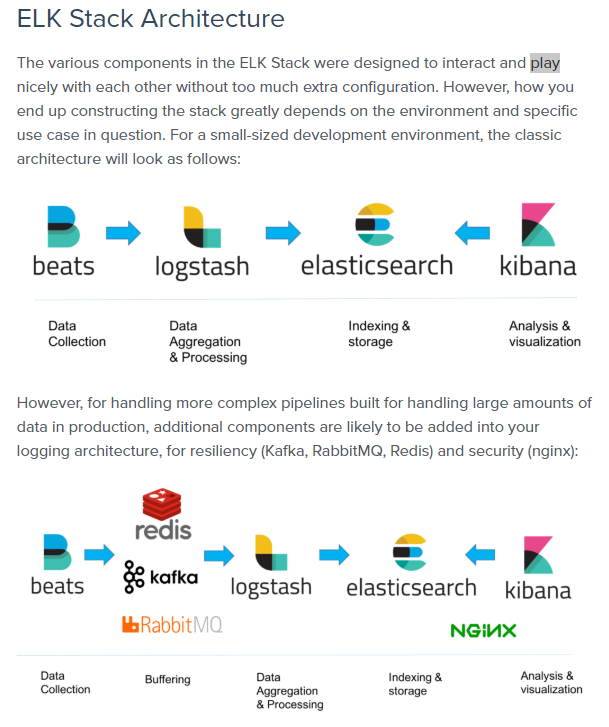
What is the difference between Logstash and Beats?edit
Beats are lightweight data shippers that you install as agents on your servers to send specific types of operational data to Elasticsearch. Beats have a small footprint and use fewer system resources than Logstash.
Logstash has a larger footprint, but provides a broad array of input, filter, and output plugins for collecting, enriching, and transforming data from a variety of sources.
For more information, see theLogstash Introductionand theBeats Overview.
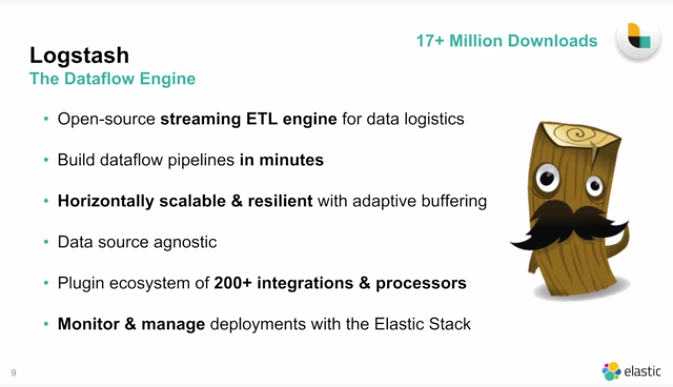
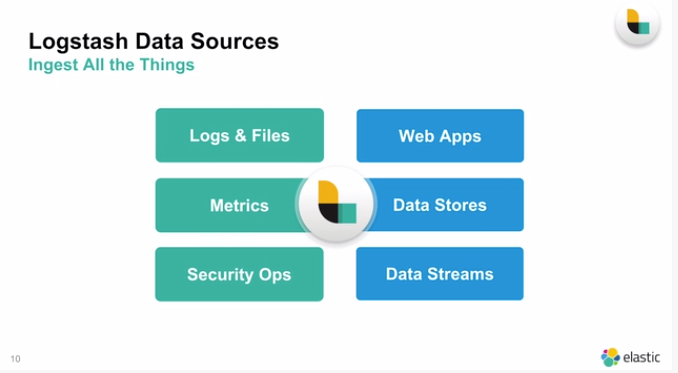
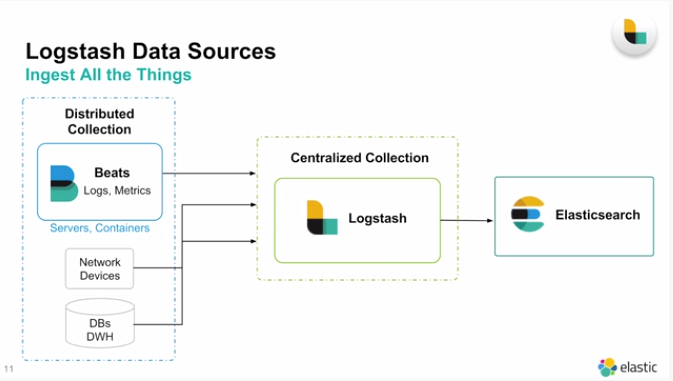
Data Sources
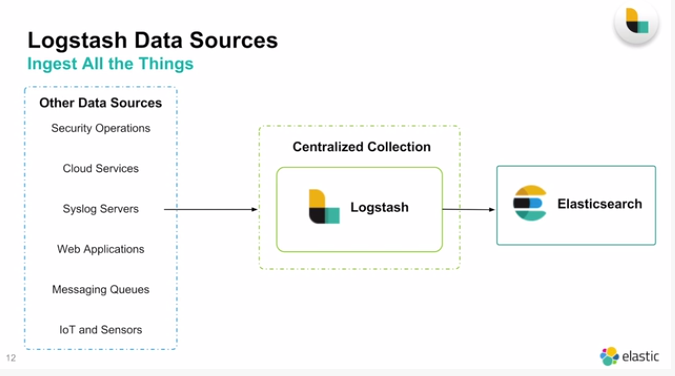
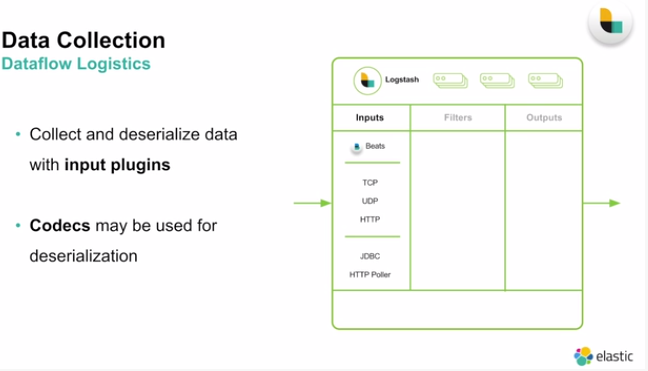
Brief Architecture LogStash : Inputs
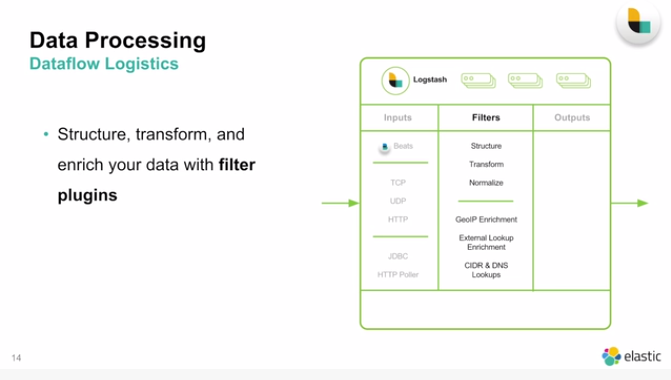
Filters
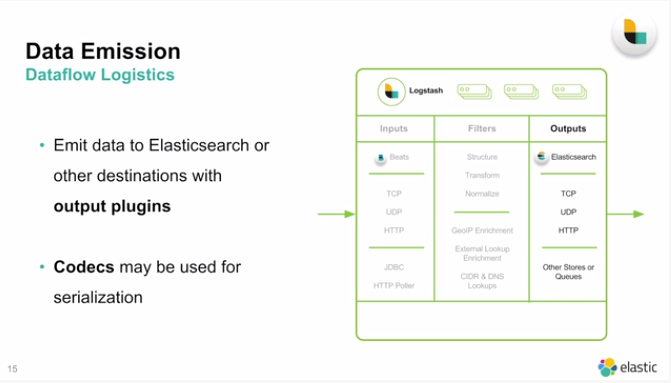
Data Output
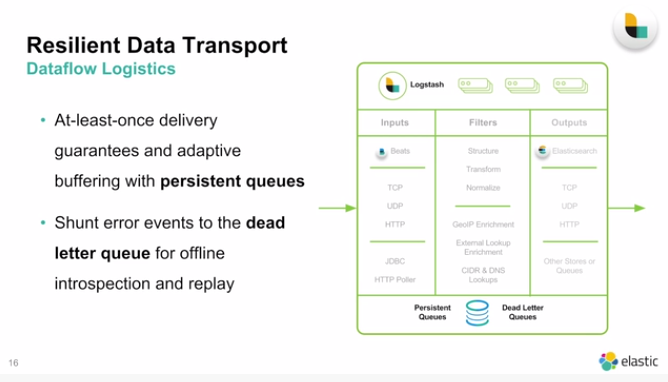
Resselient : Recover Easy from failure and maintian queue for processing
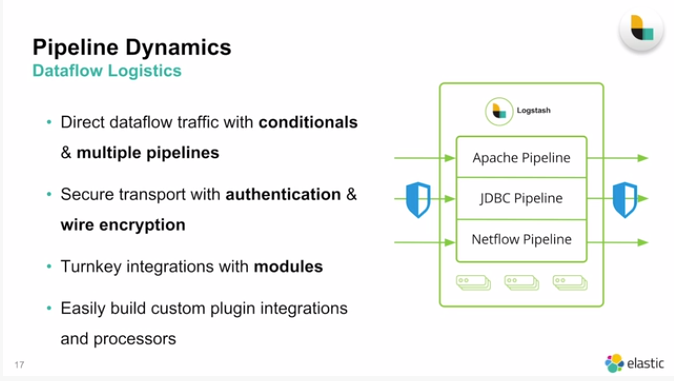
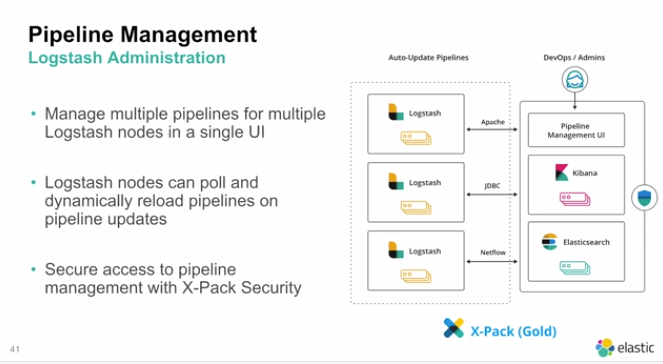
Dynamic PipeLines

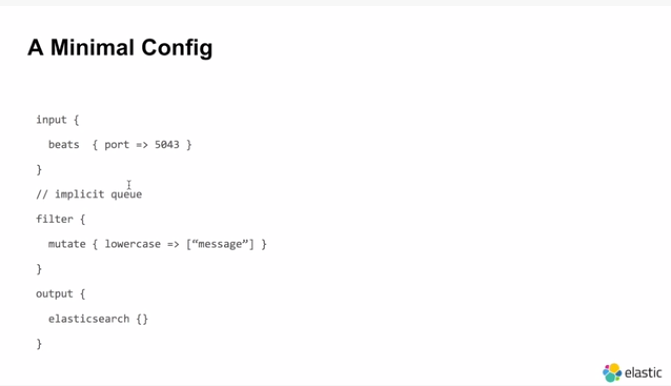
Input from Port Beat (Datsource)
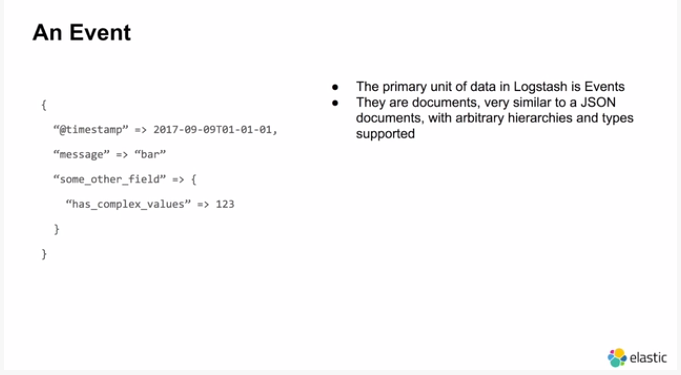
What are we sending in Input
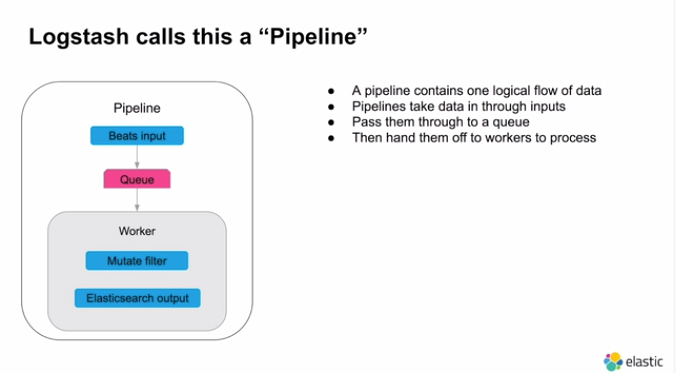
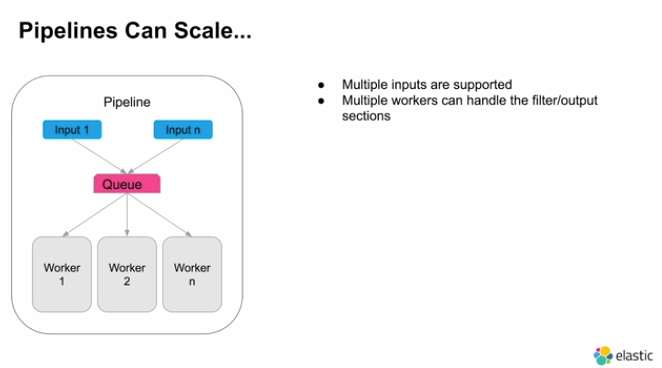
What is a PipeLine:https://medium.com/the-data-experience/building-a-data-pipeline-from-scratch-32b712cfb1db

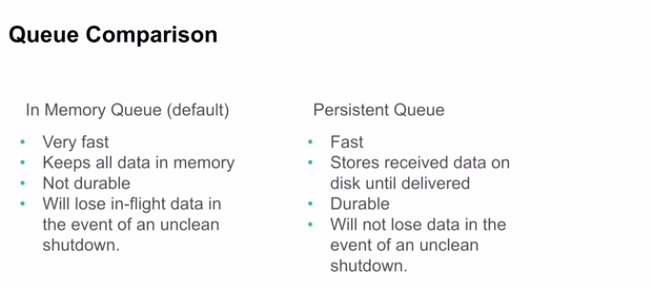
2 Queues available in Logstash
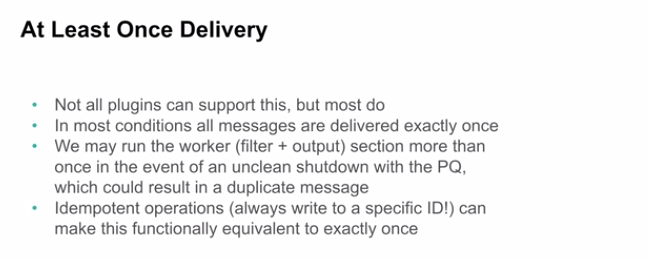

Messages that are Undeliverable or cant be processed
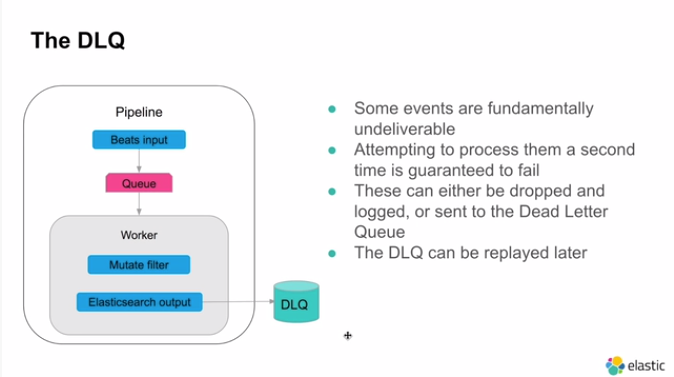
Dead Letter Queue to handle and save and Handle Exception
Setting Up
- Create Data and setup in Beats to send data
- in Config Stage setup set input and Map Filter and Clean Data and then send the data to Elastic Search
3) Send all data to ElasticSearch and Check data in Kibana
Link:Documentation of Imp Files Inside inside the Logstash installation
Searchhttps://comparisons.financesonline.com/microsoft-power-bi-vs-elasticsearch
Serialization and Deserialization
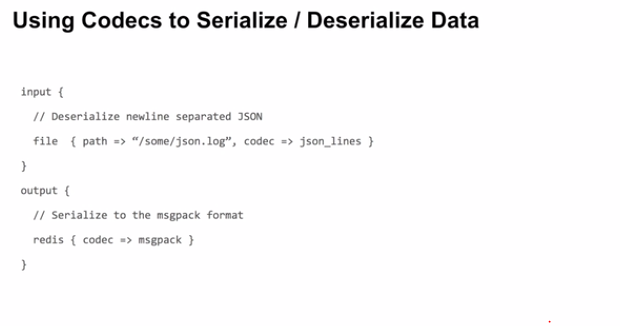
Using Codec to transform Json to Redis Events
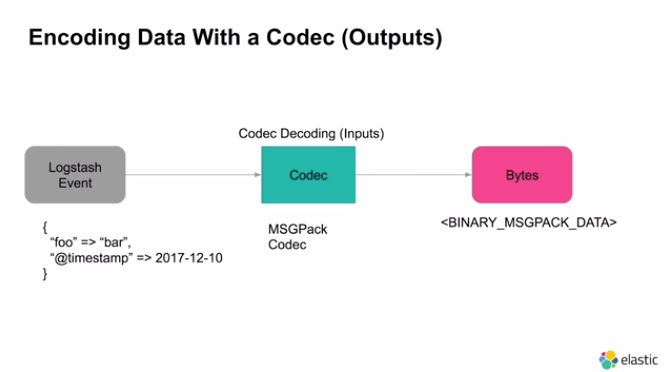
Encoding
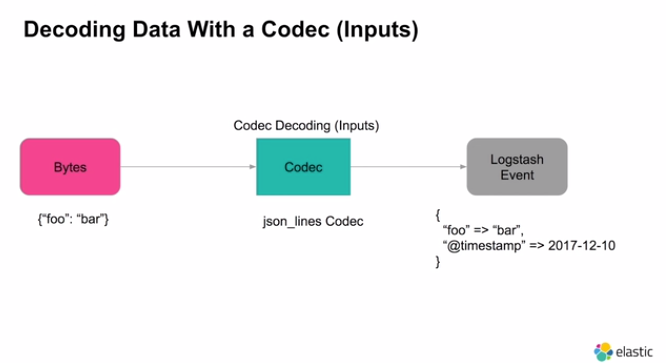
Decoding
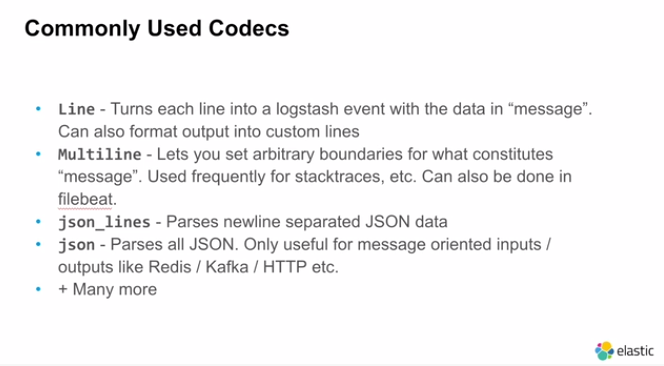
Line Codec is Default

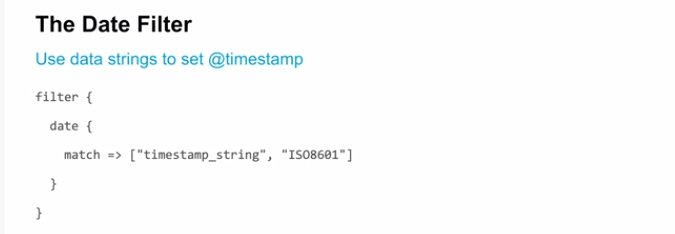
Grok Filter to Filter after Parsing
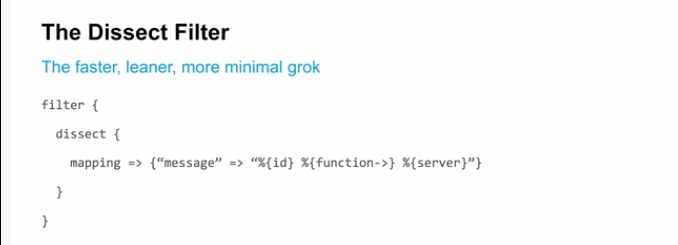
Faster and Better Algorithm
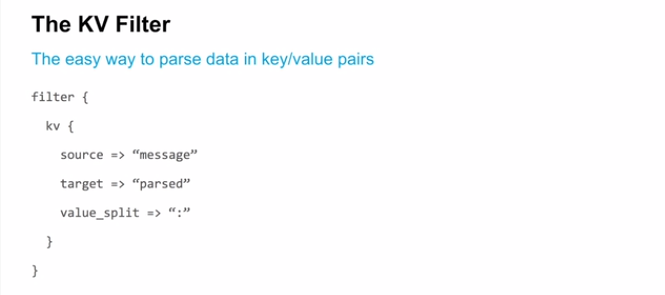

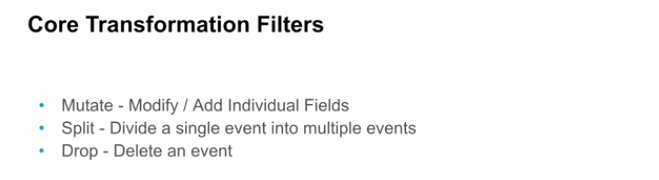
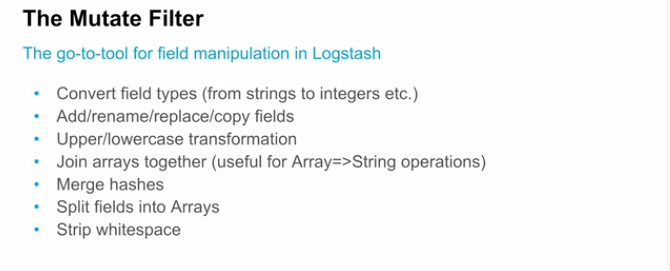
Swiss Army Knife For Filtering
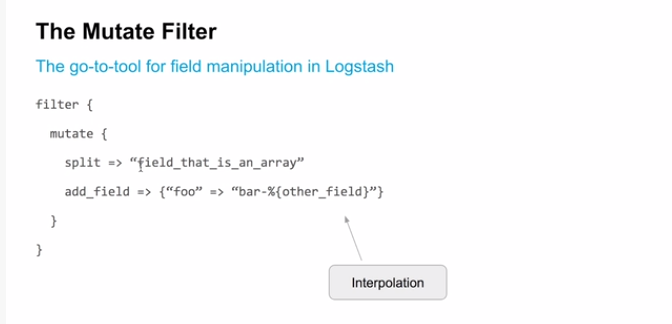
Example of Mutate Filter
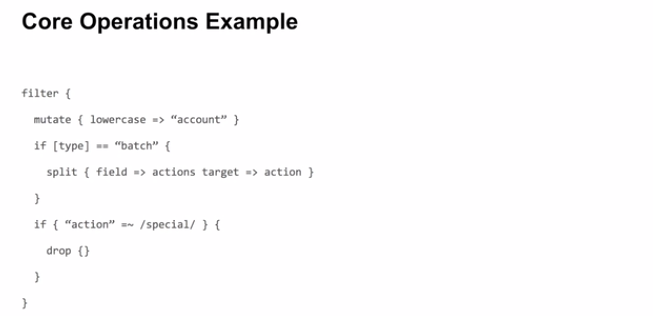

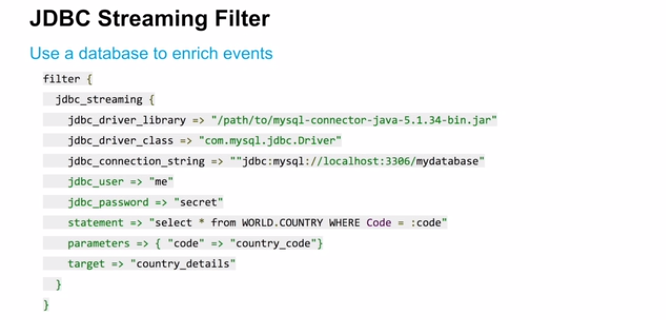
Enrich data
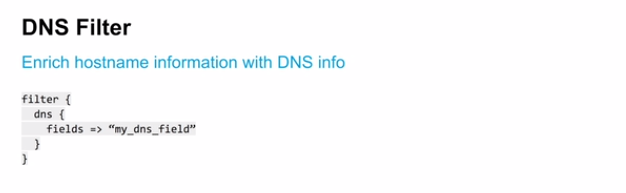
Adding New Data to existing one
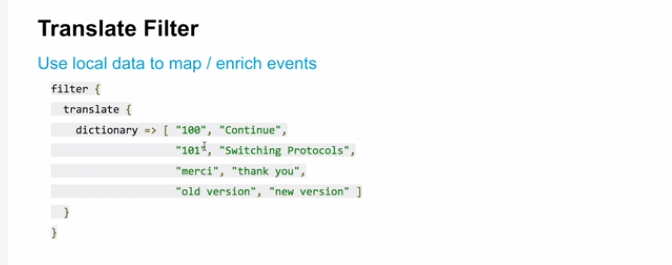
Custom Translation Mapping : Resolve Product Code but can be used in Querirs in Ealastic Search as well