Creating “Hello World “Spring Boot Project with STS and Maven Part 1
Creating “Hello World “Spring Boot Project with STS and Maven Part 1
Creating “Hello World “Spring Boot Project with STS and Maven Part 1
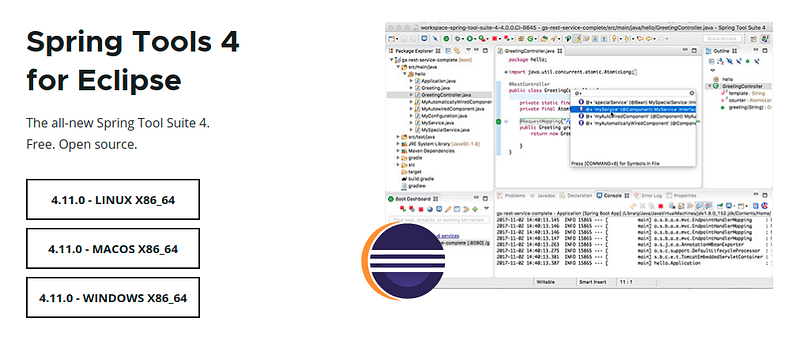
1. Download the Spring STS tools
Link :https://spring.io/toolsand extract it to run
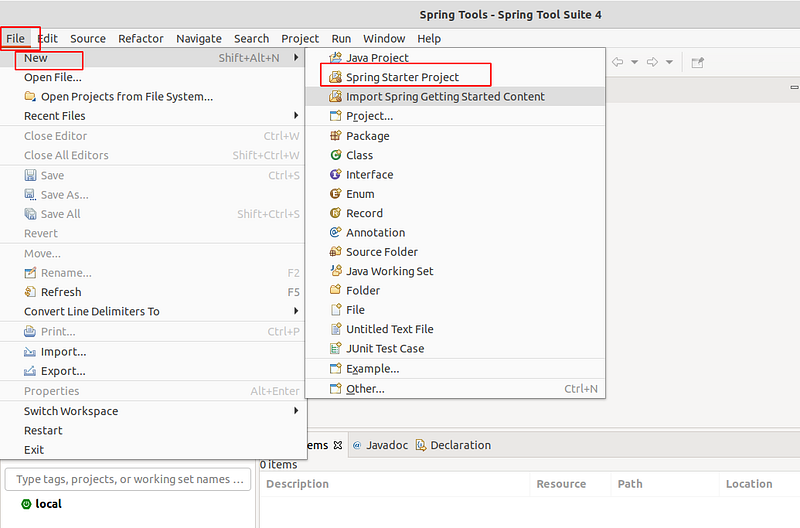
2. Start new Spring Started Project
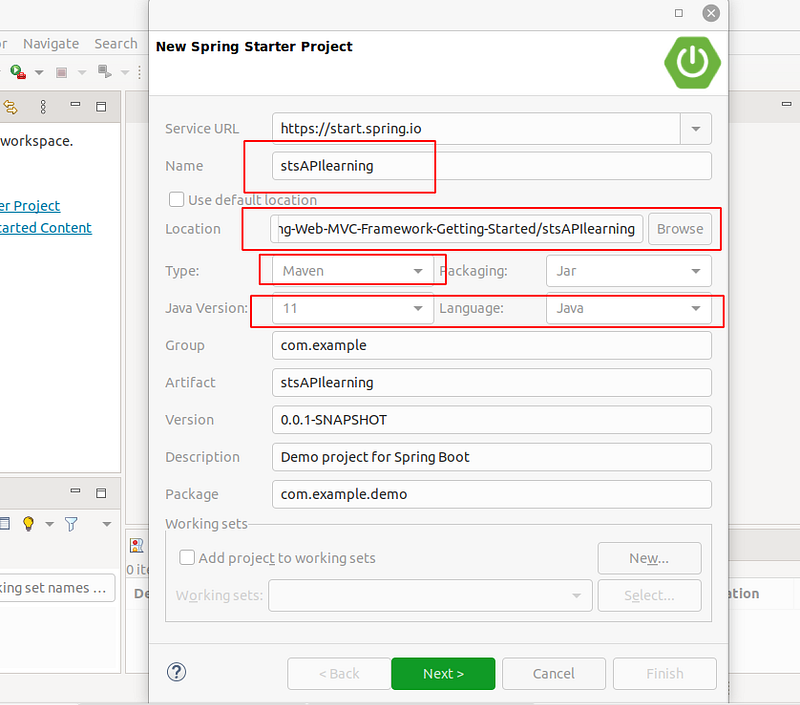
Enter the name and select the project location, and check if version of java is same as the java version you have installed
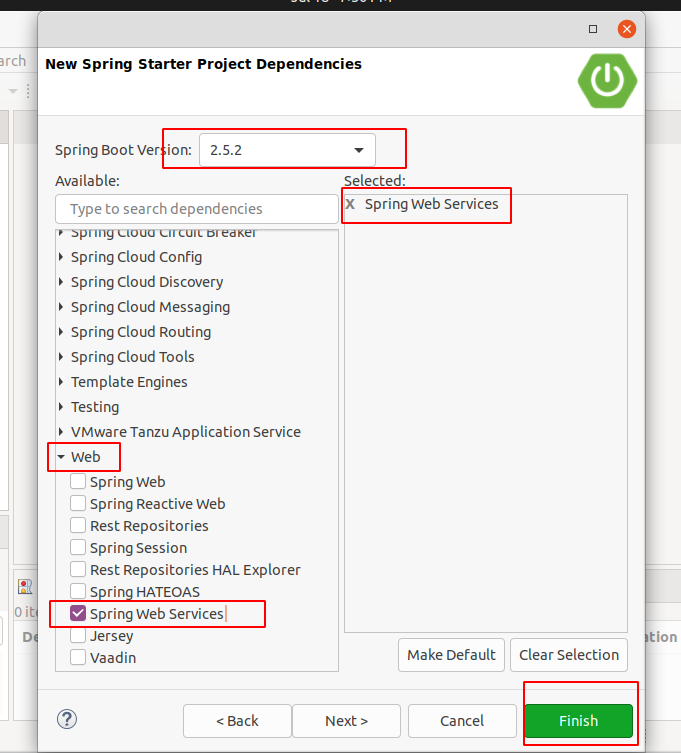
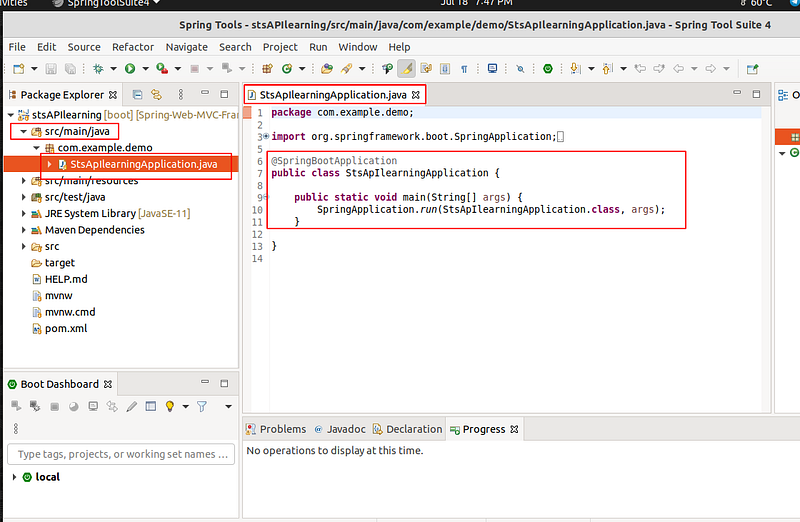
3. Explore the Project
4. Creating a new Package
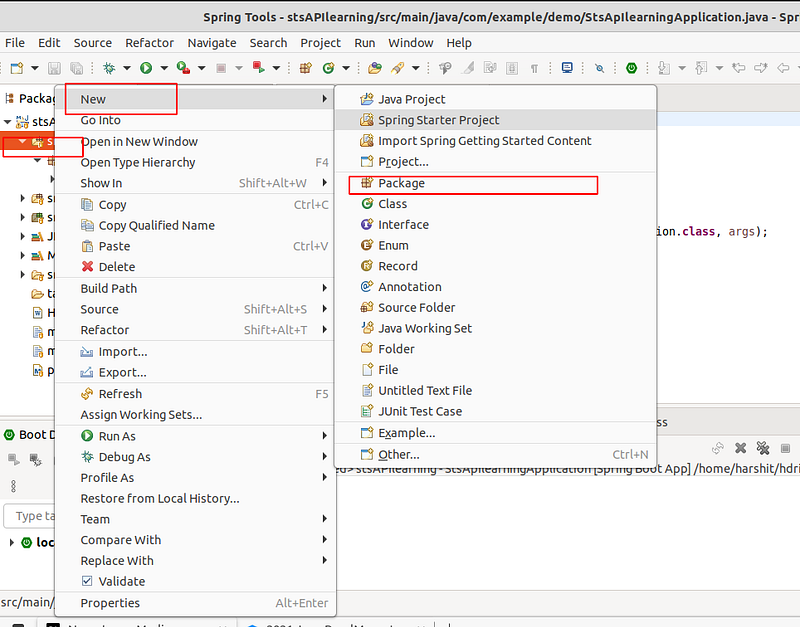
Inside main/java right click to create a new package
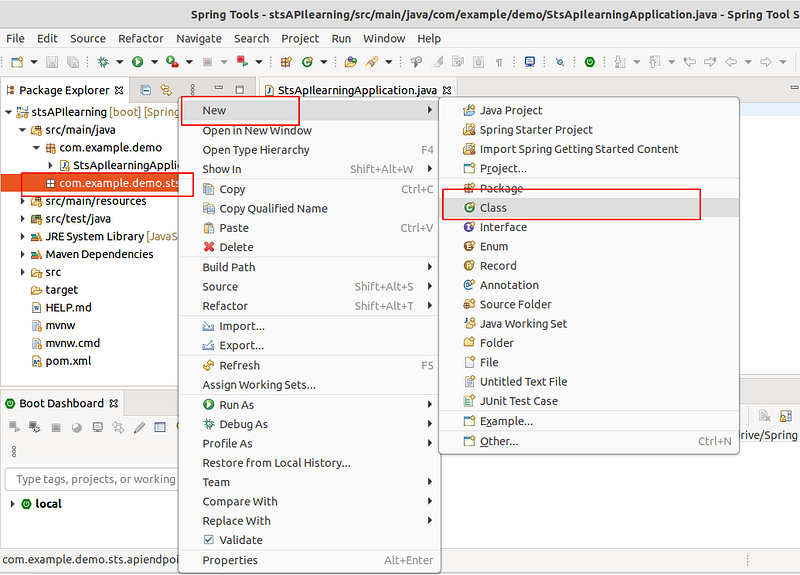
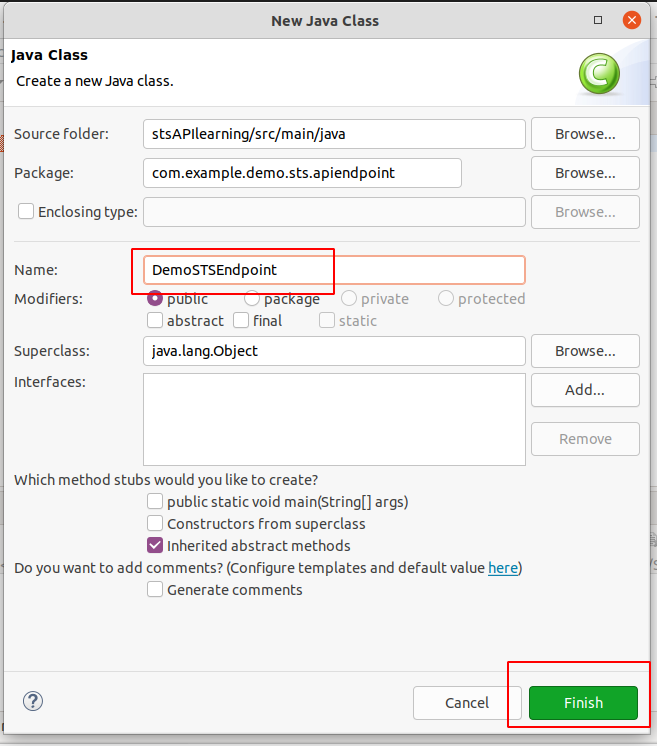
5. Under the Newly created package create a new class
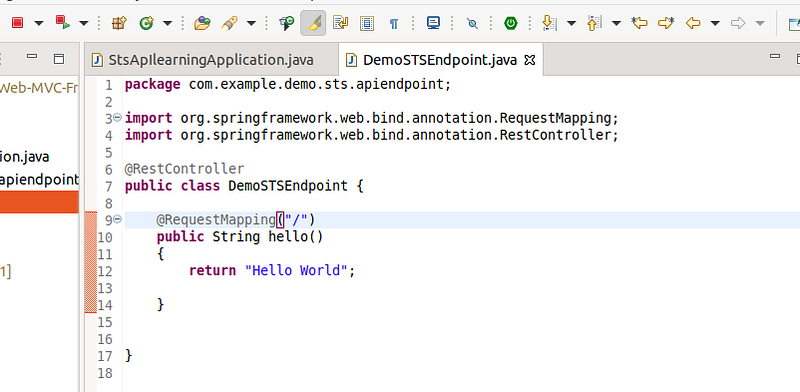
And add the following code
1
package com.example.demo.sts.apiendpoint;
1
import org.springframework.web.bind.annotation.RequestMapping;
1
import org.springframework.web.bind.annotation.RestController;
1
@RestController
1
public class DemoSTSEndpoint {
1
@RequestMapping("/")
1
public String hello()
1
{
1
return "Hello World";
1
}
1
}
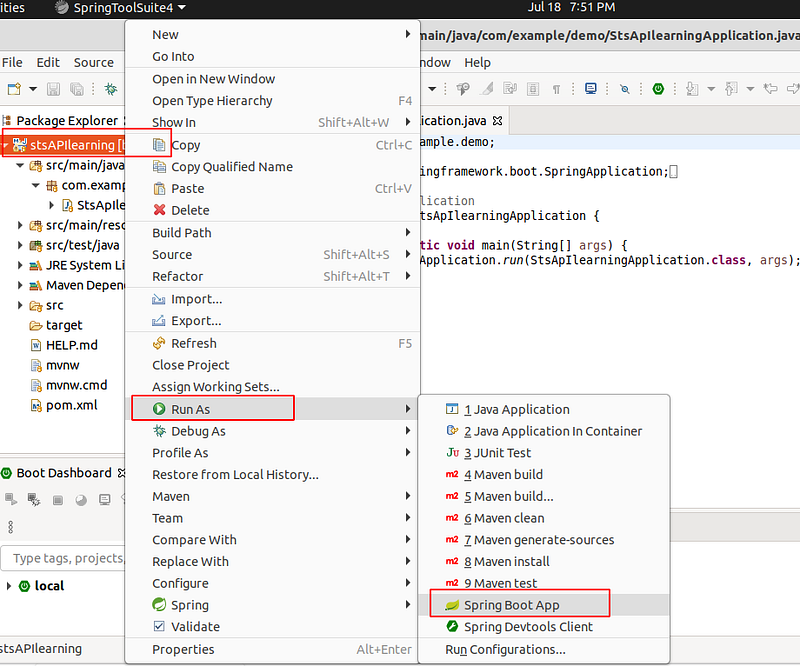
Start the Project
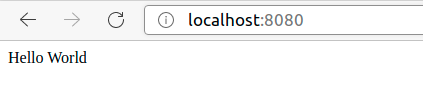
Output :
headover to localhost:8080/
Reference
This post is licensed under CC BY 4.0 by the author.