Video coming soon. Start with the reading below.
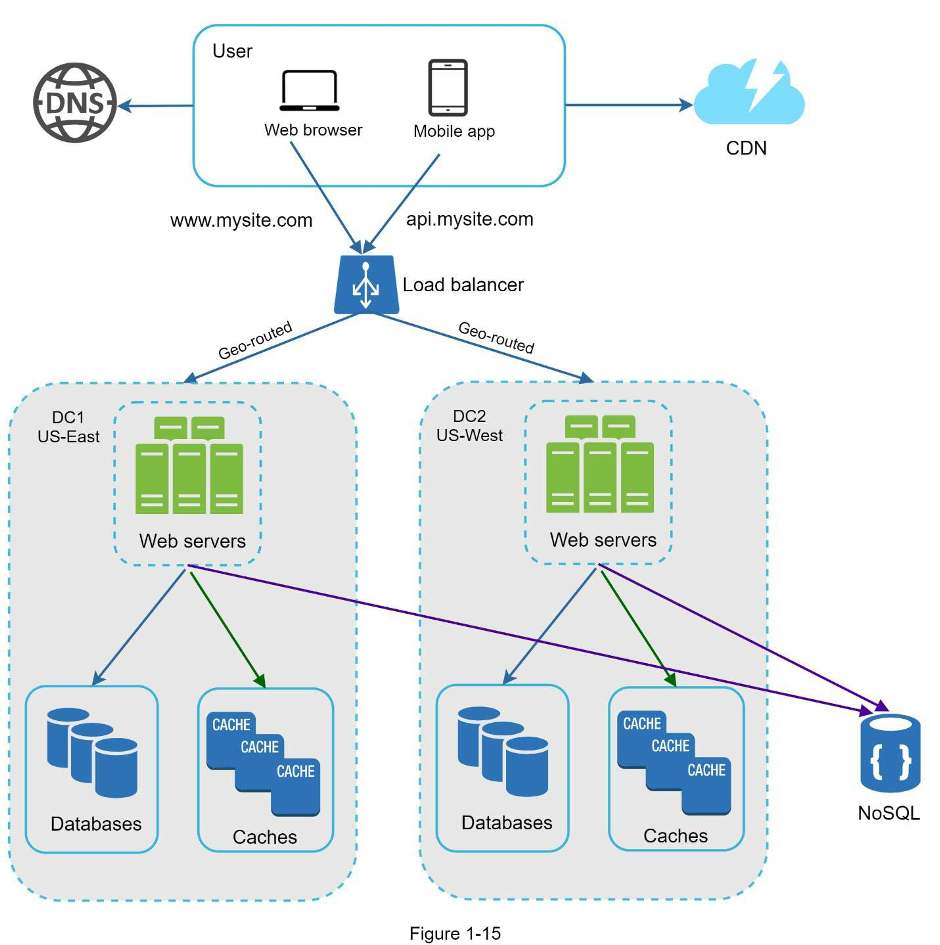
Figure 1-15 shows an example setup with two data centers. In normal operation, users are geoDNS-routed, also known as geo-routed, to the closest data center, with a split traffic of x% in US-East and (100 – x)% in US-West. geoDNS is a DNS service that allows domain names to be resolved to IP addresses based on the location of a user.
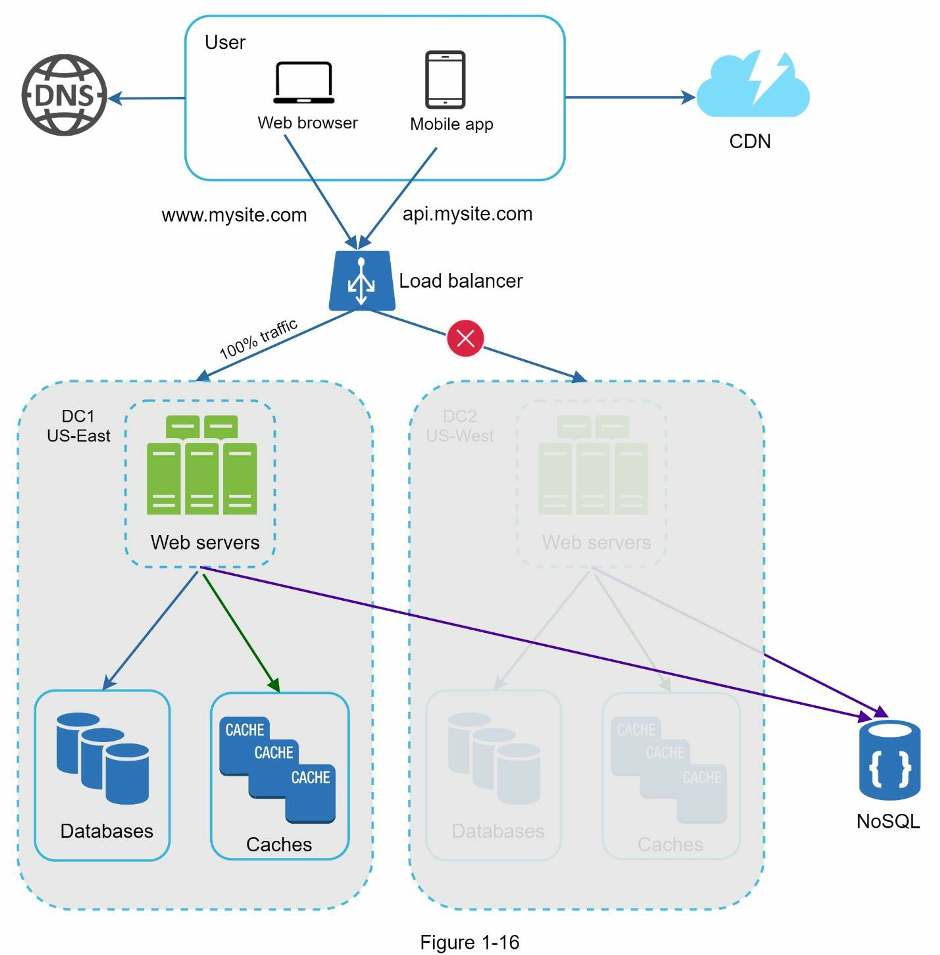
In the event of any significant data center outage, we direct all traffic to a healthy data center. In Figure 1-16, data center 2 (US-West) is offline, and 100% of the traffic is routed to data center 1 (US-East).
Several technical challenges must be resolved to achieve multi-data center setup:
- Traffic redirection: Effective tools are needed to direct traffic to the correct data center. GeoDNS can be used to direct traffic to the nearest data center depending on where a user is located.
- Data synchronization: Users from different regions could use different local databases or caches. In failover cases, traffic might be routed to a data center where data is unavailable. A common strategy is to replicate data across multiple data centers. A previous study shows how Netflix implements asynchronous multi-data center replication [11].
- Test and deployment: With multi-data center setup, it is important to test your website/application at different locations. Automated deployment tools are vital to keep services consistent through all the data centers [11].
To further scale our system, we need to decouple different components of the system so they can be scaled independently. Messaging queue is a key strategy employed by many real-world distributed systems to solve this problem.