SECTION VIDEOFind affected keys
COMING SOONVideo coming soon. Start with the reading below.
When a server is added or removed, a fraction of data needs to be redistributed. How can we find the affected range to redistribute the keys?
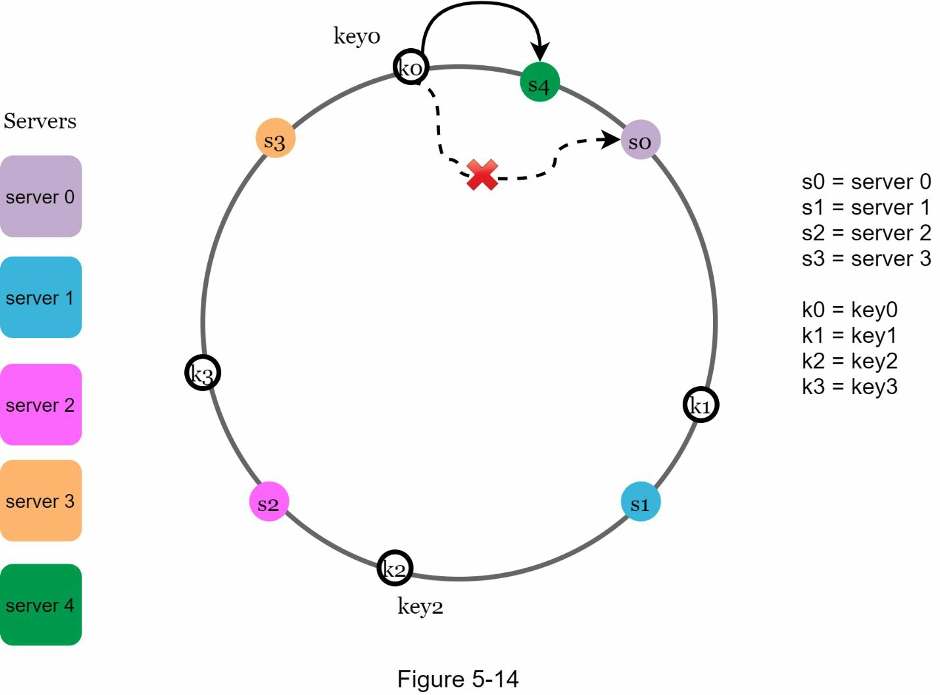
In Figure 5-14, server 4 is added onto the ring. The affected range starts from s4 (newly added node) and moves anticlockwise around the ring until a server is found (s3). Thus, keys located between s3 and s4 need to be redistributed to s4.
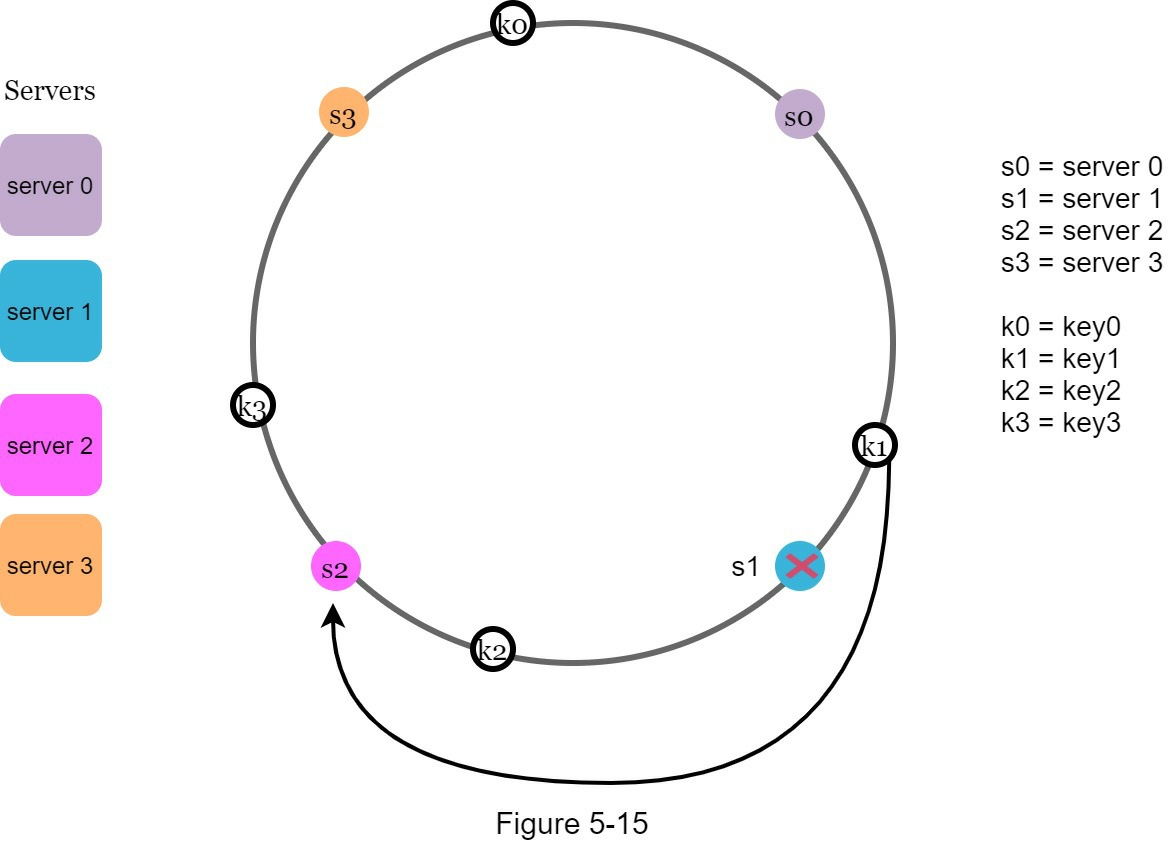
When a server (s1) is removed as shown in Figure 5-15, the affected range starts from s1 (removed node) and moves anticlockwise around the ring until a server is found (s0). Thus, keys located between s0 and s1 must be redistributed to s2.
Progress is saved on this device.