Video coming soon. Start with the reading below.
The proposed video transcoding architecture that leverages the cloud services, is shown in Figure 14-10.
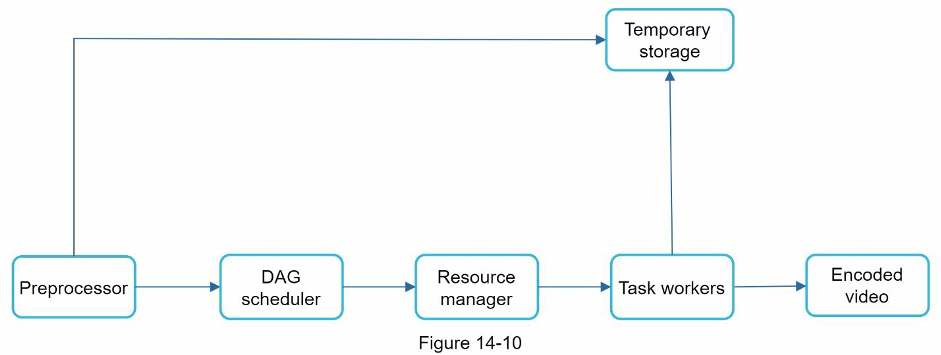
The architecture has six main components: preprocessor, DAG scheduler, resource manager, task workers, temporary storage, and encoded video as the output. Let us take a close look at each component.
Preprocessor
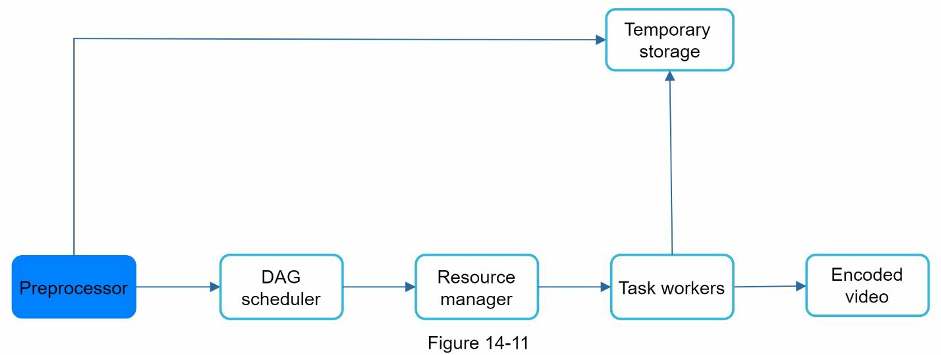
The preprocessor has 4 responsibilities: 1. Video splitting. Video stream is split or further split into smaller Group of Pictures (GOP) alignment. GOP is a group/chunk of frames arranged in a specific order. Each chunk is an independently playable unit, usually a few seconds in length.
- Some old mobile devices or browsers might not support video splitting. Preprocessor split videos by GOP alignment for old clients.
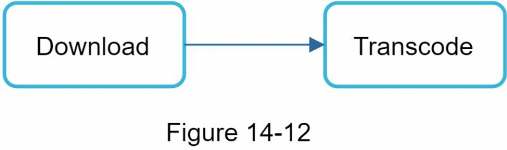
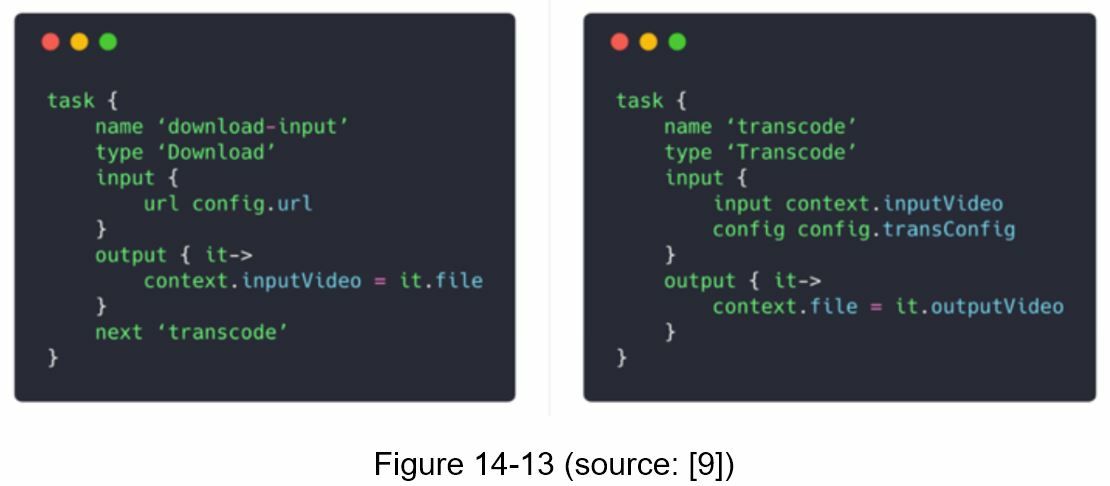
- DAG generation. The processor generates DAG based on configuration files client programmers write. Figure 14-12 is a simplified DAG representation which has 2 nodes and 1 edge:
This DAG representation is generated from the two configuration files below (Figure 14-13):
- Cache data. The preprocessor is a cache for segmented videos. For better reliability, the preprocessor stores GOPs and metadata in temporary storage. If video encoding fails, the system could use persisted data for retry operations.
DAG scheduler
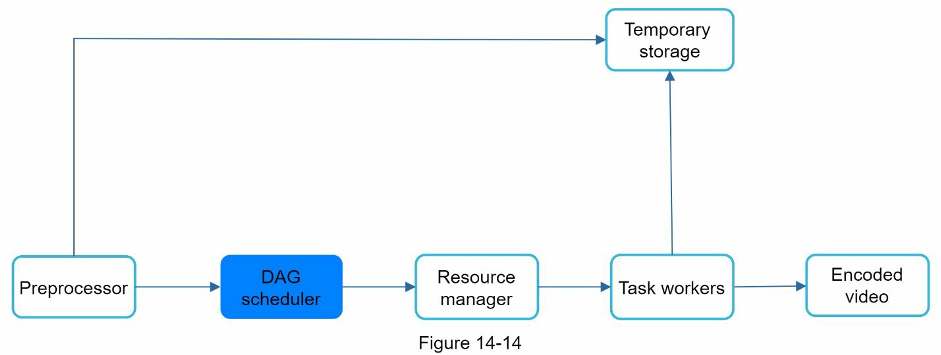
The DAG scheduler splits a DAG graph into stages of tasks and puts them in the task queue in the resource manager. Figure 14-15 shows an example of how the DAG scheduler works.
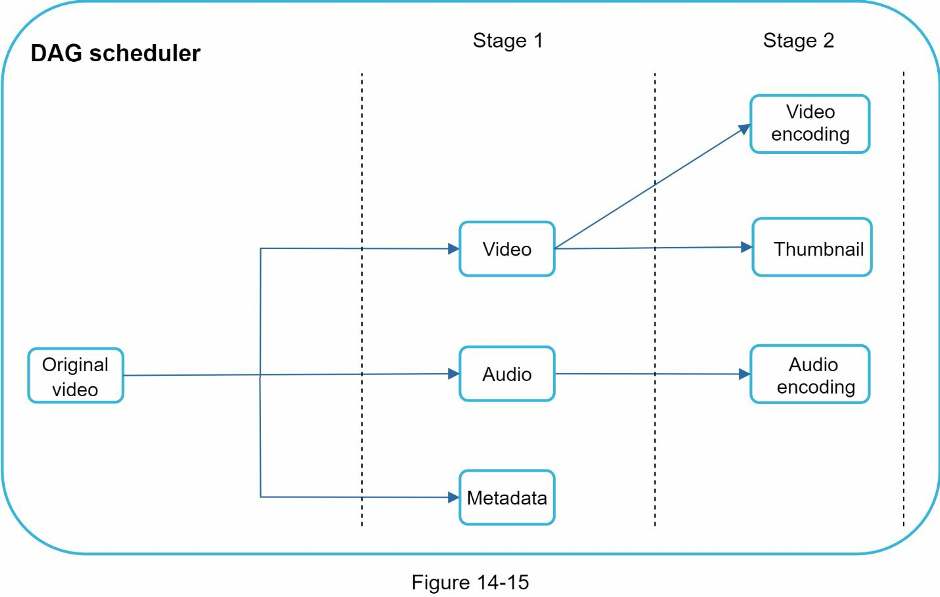
As shown in Figure 14-15, the original video is split into three stages: Stage 1: video, audio, and metadata. The video file is further split into two tasks in stage 2: video encoding and thumbnail. The audio file requires audio encoding as part of the stage 2 tasks.
Resource manager
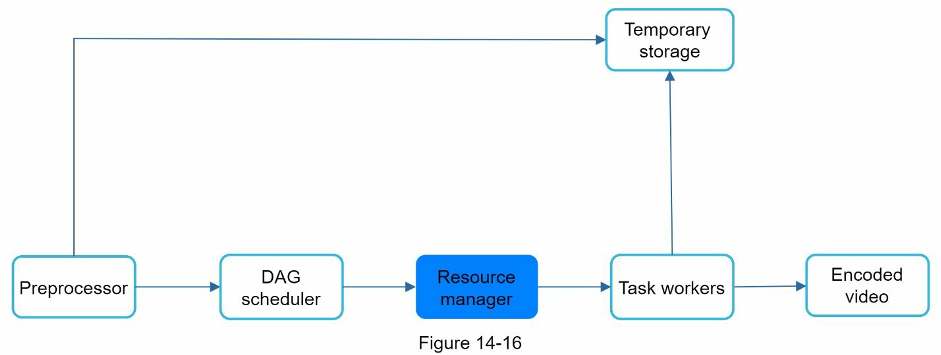
The resource manager is responsible for managing the efficiency of resource allocation. It contains 3 queues and a task scheduler as shown in Figure 14-17.
- Task queue: It is a priority queue that contains tasks to be executed.
- Worker queue: It is a priority queue that contains worker utilization info.
- Running queue: It contains info about the currently running tasks and workers running the tasks.
- Task scheduler: It picks the optimal task/worker, and instructs the chosen task worker to execute the job.
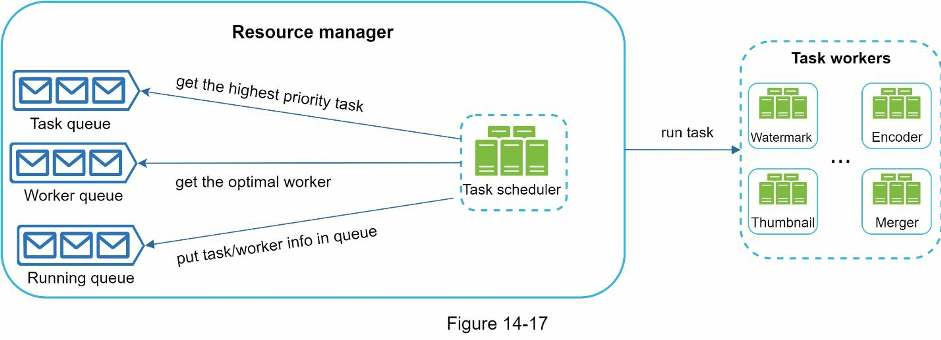
The resource manager works as follows:
- The task scheduler gets the highest priority task from the task queue.
- The task scheduler gets the optimal task worker to run the task from the worker queue.
- The task scheduler instructs the chosen task worker to run the task.
- The task scheduler binds the task/worker info and puts it in the running queue.
- The task scheduler removes the job from the running queue once the job is done.
Task workers
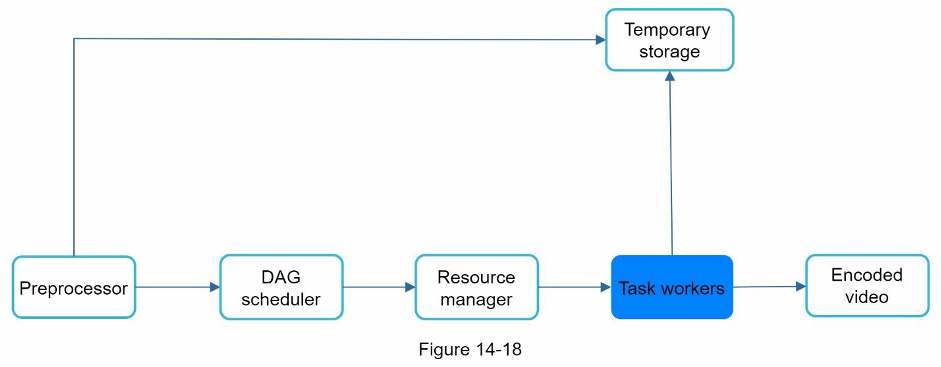
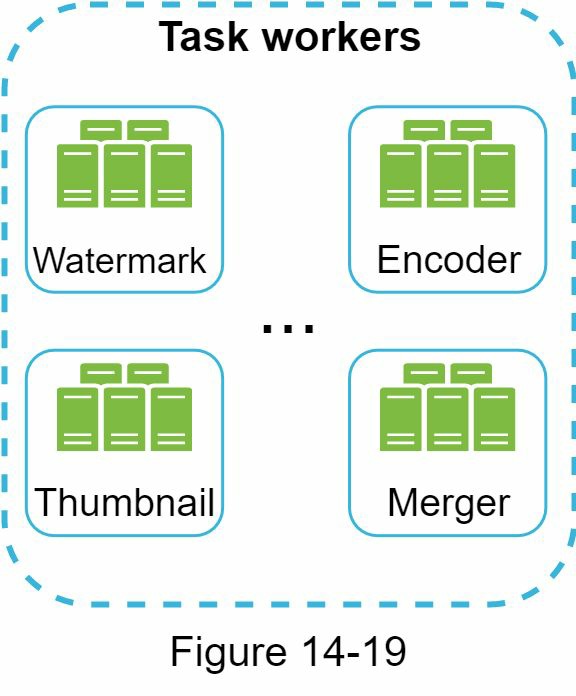
Task workers run the tasks which are defined in the DAG. Different task workers may run different tasks as shown in Figure 14-19.
Temporary storage
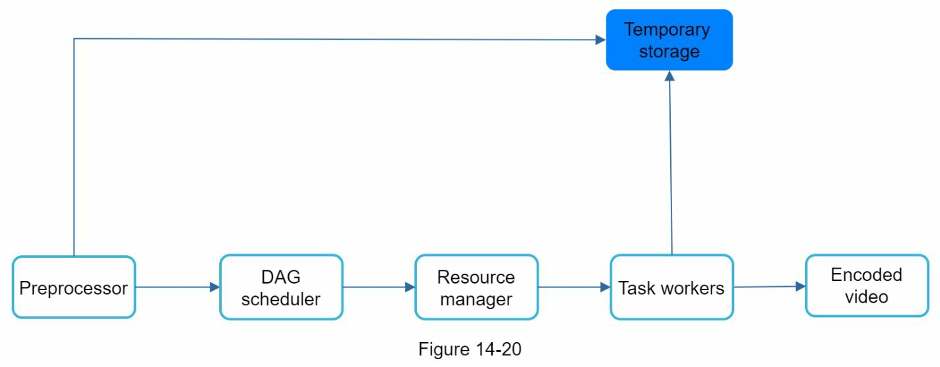
Multiple storage systems are used here. The choice of storage system depends on factors like data type, data size, access frequency, data life span, etc. For instance, metadata is frequently accessed by workers, and the data size is usually small. Thus, caching metadata in memory is a good idea. For video or audio data, we put them in blob storage. Data in temporary storage is freed up once the corresponding video processing is complete.
Encoded video
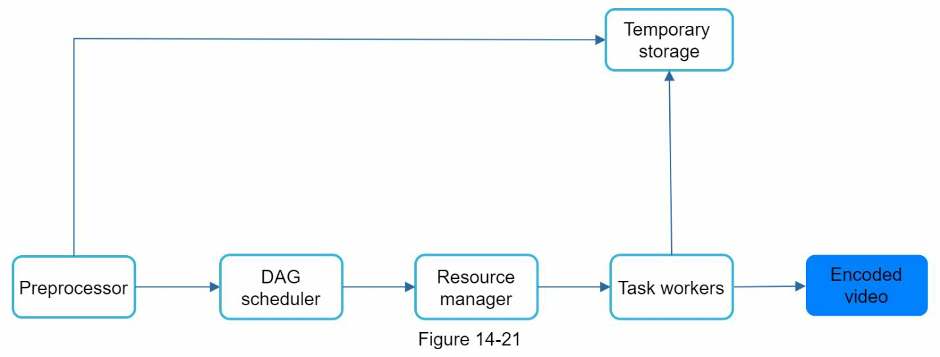
Encoded video is the final output of the encoding pipeline. Here is an example of the output: funny_720p.mp4 .