Video coming soon. Start with the reading below.
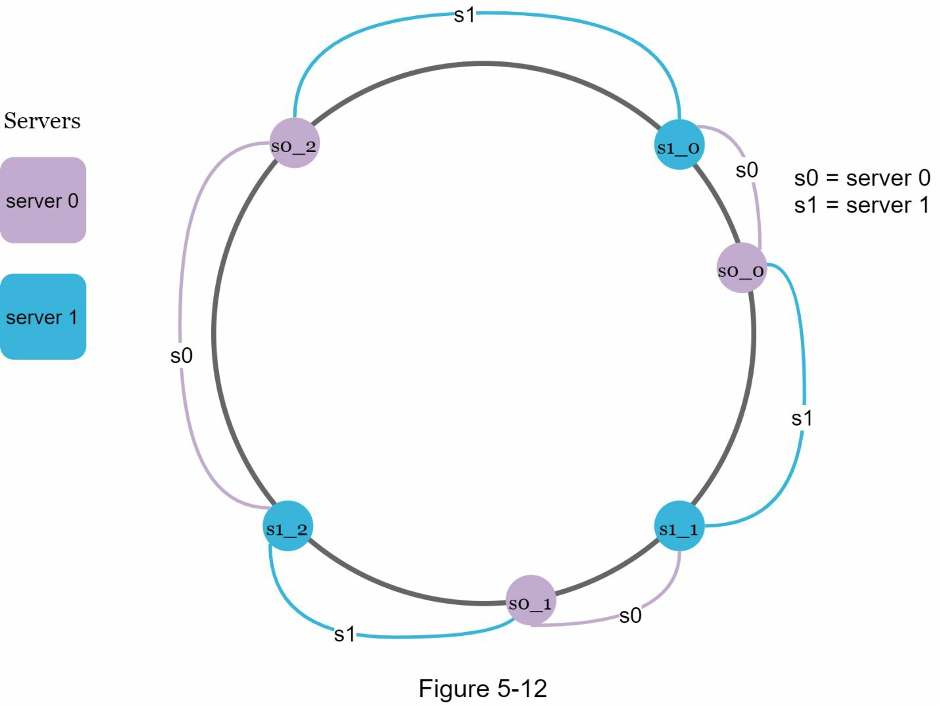
A virtual node refers to the real node, and each server is represented by multiple virtual nodes on the ring. In Figure 5-12, both server 0 and server 1 have 3 virtual nodes. The 3 is arbitrarily chosen; and in real-world systems, the number of virtual nodes is much larger. Instead of using s0, we have s0_0, s0_1, and s0_2 to represent server 0 on the ring. Similarly, s1_0, s1_1, and s1_2 represent server 1 on the ring. With virtual nodes, each server is responsible for multiple partitions. Partitions (edges) with label s0 are managed by server 0. On the other hand, partitions with label s1 are managed by server 1.
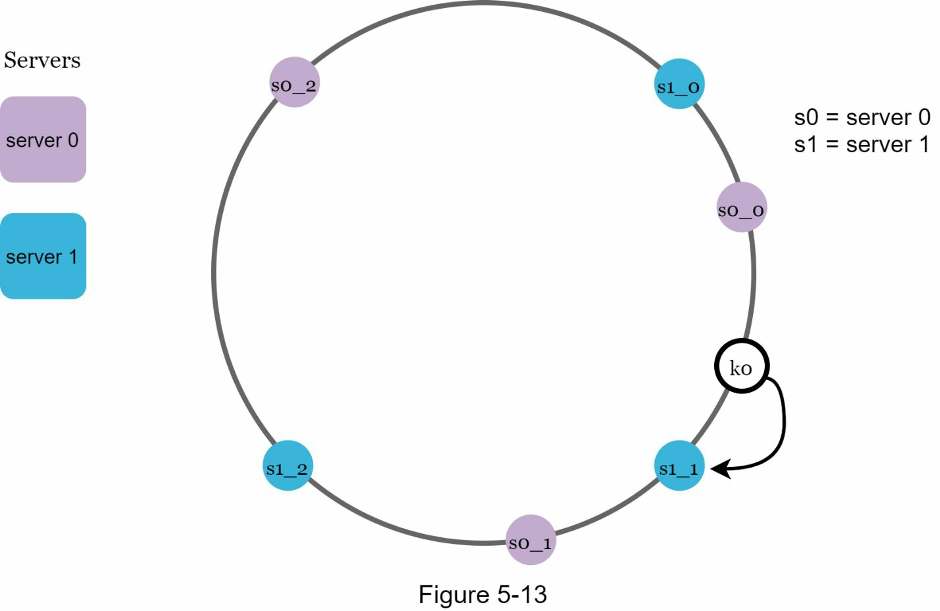
To find which server a key is stored on, we go clockwise from the key’s location and find the first virtual node encountered on the ring. In Figure 5-13, to find out which server k0 is stored on, we go clockwise from k0’s location and find virtual node s1_1, which refers to server 1.
As the number of virtual nodes increases, the distribution of keys becomes more balanced. This is because the standard deviation gets smaller with more virtual nodes, leading to balanced data distribution. Standard deviation measures how data are spread out. The outcome of an experiment carried out by online research [2] shows that with one or two hundred virtual nodes, the standard deviation is between 5% (200 virtual nodes) and 10% (100 virtual nodes) of the mean. The standard deviation will be smaller when we increase the number of virtual nodes. However, more spaces are needed to store data about virtual nodes. This is a tradeoff, and we can tune the number of virtual nodes to fit our system requirements.