Video coming soon. Start with the reading below.
As more files are uploaded, eventually you get the space full alert as shown in Figure 15-4.
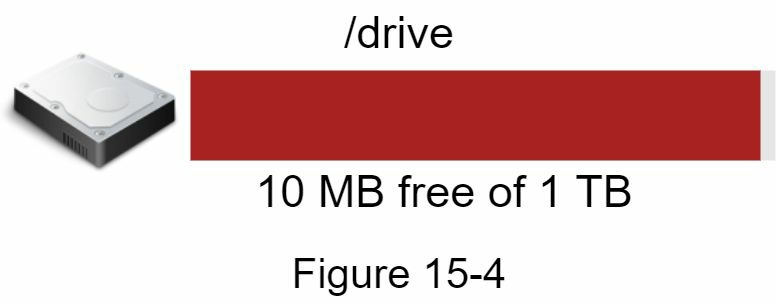
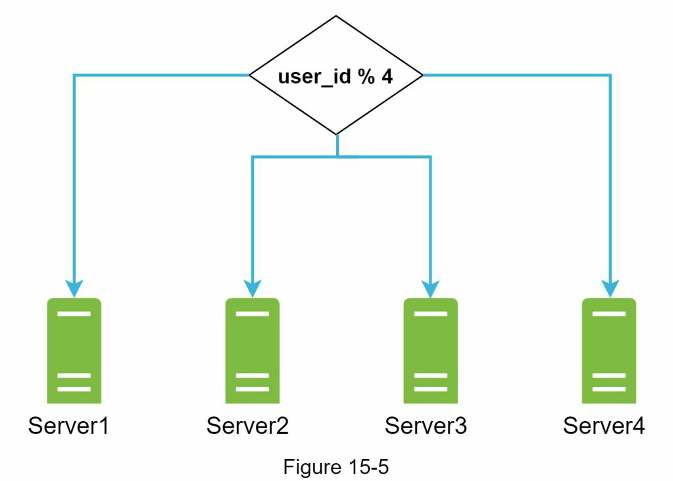
Only 10 MB of storage space is left! This is an emergency as users cannot upload files anymore. The first solution comes to mind is to shard the data, so it is stored on multiple storage servers. Figure 15-5 shows an example of sharding based on user_id .
You pull an all-nighter to set up database sharding and monitor it closely. Everything works smoothly again. You have stopped the fire, but you are still worried about potential data losses in case of storage server outage. You ask around and your backend guru friend Frank told you that many leading companies like Netflix and Airbnb use Amazon S3 for storage. “Amazon Simple Storage Service (Amazon S3) is an object storage service that offers industry-leading scalability, data availability, security, and performance” [3]. You decide to do some research to see if it is a good fit.
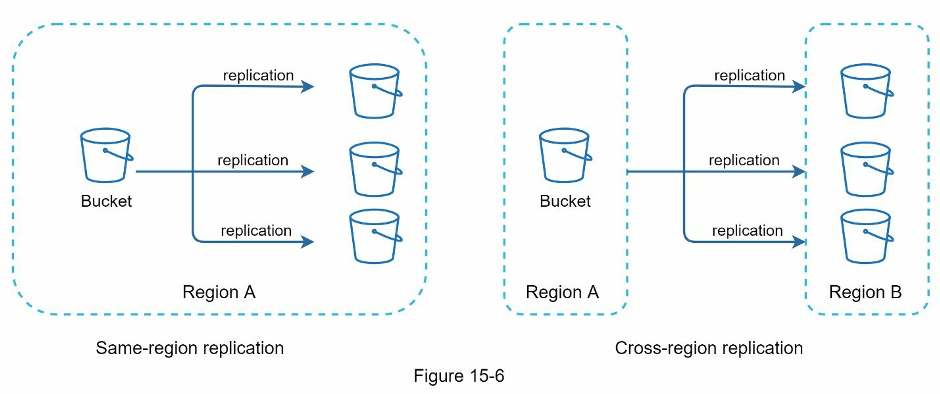
After a lot of reading, you gain a good understanding of the S3 storage system and decide to store files in S3. Amazon S3 supports same-region and cross-region replication. A region is a geographic area where Amazon web services (AWS) have data centers. As shown in Figure 15-6, data can be replicated on the same-region (left side) and cross-region (right side). Redundant files are stored in multiple regions to guard against data loss and ensure availability. A bucket is like a folder in file systems.
After putting files in S3, you can finally have a good night's sleep without worrying about data losses. To stop similar problems from happening in the future, you decide to do further research on areas you can improve. Here are a few areas you find:
- Load balancer: Add a load balancer to distribute network traffic. A load balancer ensures
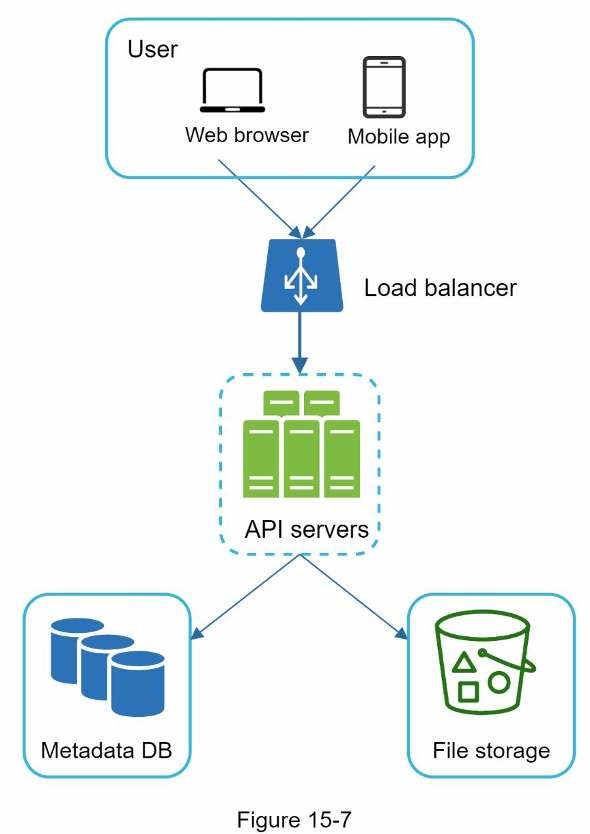
evenly distributed traffic, and if a web server goes down, it will redistribute the traffic. • Web servers: After a load balancer is added, more web servers can be added/removed easily, depending on the traffic load. • Metadata database: Move the database out of the server to avoid single point of failure. In the meantime, set up data replication and sharding to meet the availability and scalability requirements. • File storage: Amazon S3 is used for file storage. To ensure availability and durability, files are replicated in two separate geographical regions.
After applying the above improvements, you have successfully decoupled web servers, metadata database, and file storage from a single server. The updated design is shown in Figure 15-7.