Video coming soon. Start with the reading below.
An online presence indicator is an essential feature of many chat applications. Usually, you can see a green dot next to a user’s profile picture or username. This section explains what happens behind the scenes.
In the high-level design, presence servers are responsible for managing online status and communicating with clients through WebSocket. There are a few flows that will trigger online status change. Let us examine each of them.
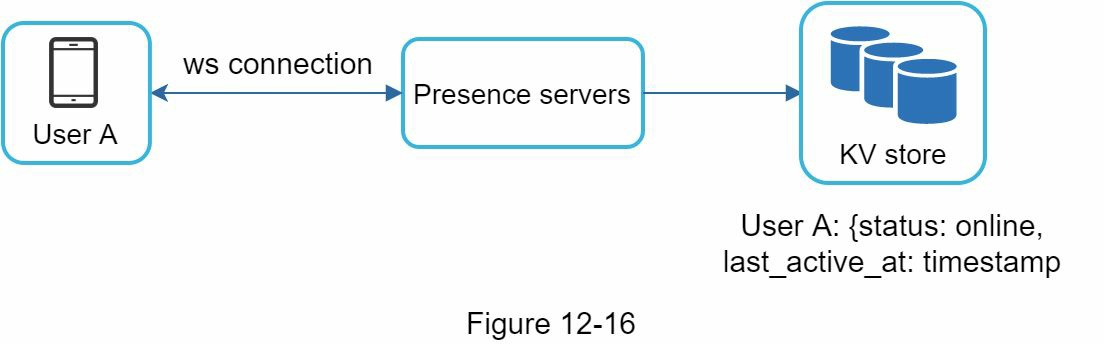
User login The user login flow is explained in the “Service Discovery” section. After a WebSocket connection is built between the client and the real-time service, user A’s online status and last_active_at timestamp are saved in the KV store. Presence indicator shows the user is online after she logs in.
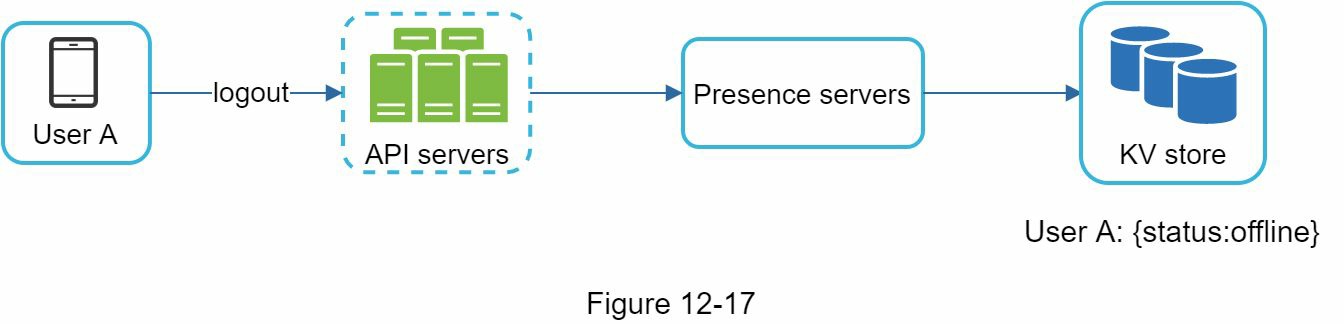
User logout When a user logs out, it goes through the user logout flow as shown in Figure 12-17. The online status is changed to offline in the KV store. The presence indicator shows a user is offline.
User disconnection We all wish our internet connection is consistent and reliable. However, that is not always the case; thus, we must address this issue in our design. When a user disconnects from the internet, the persistent connection between the client and server is lost. A naive way to handle user disconnection is to mark the user as offline and change the status to online when the connection re-establishes. However, this approach has a major flaw. It is common for users to disconnect and reconnect to the internet frequently in a short time. For example, network connections can be on and off while a user goes through a tunnel. Updating online status on every disconnect/reconnect would make the presence indicator change too often, resulting in poor user experience.
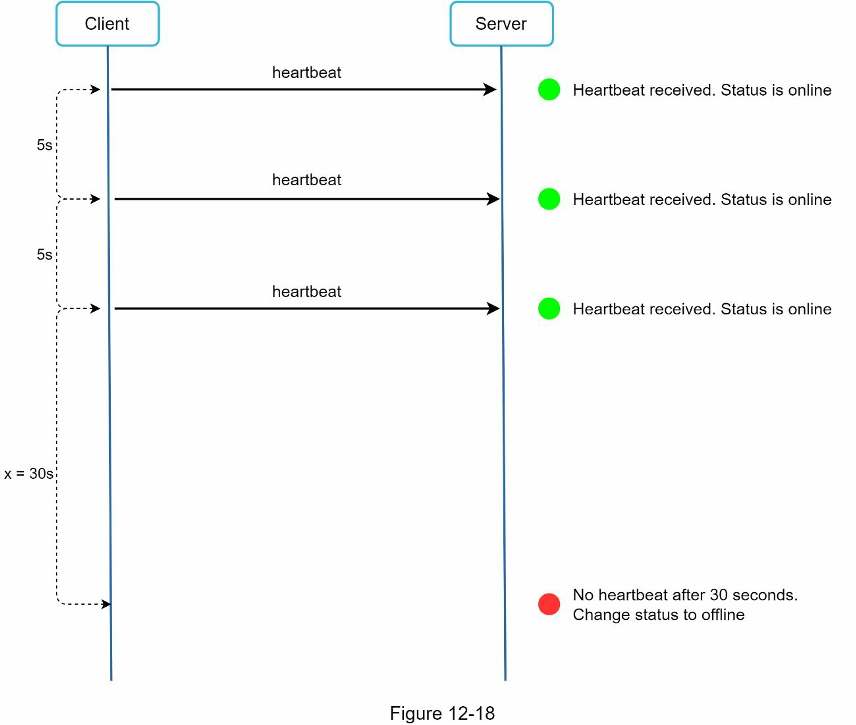
We introduce a heartbeat mechanism to solve this problem. Periodically, an online client sends a heartbeat event to presence servers. If presence servers receive a heartbeat event within a certain time, say x seconds from the client, a user is considered as online. Otherwise, it is offline.
In Figure 12-18, the client sends a heartbeat event to the server every 5 seconds. After sending 3 heartbeat events, the client is disconnected and does not reconnect within x = 30 seconds (This number is arbitrarily chosen to demonstrate the logic). The online status is changed to offline.
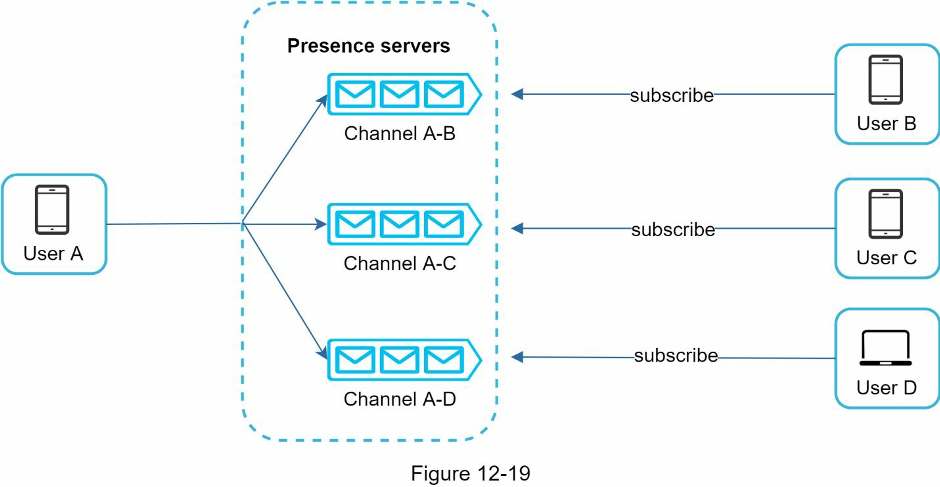
Online status fanout How do user A’s friends know about the status changes? Figure 12-19 explains how it works. Presence servers use a publish-subscribe model, in which each friend pair maintains a channel. When User A’s online status changes, it publishes the event to three channels, channel A-B, A-C, and A-D. Those three channels are subscribed by User B, C, and D, respectively. Thus, it is easy for friends to get online status updates. The communication between clients and servers is through real-time WebSocket.
The above design is effective for a small user group. For instance, WeChat uses a similar approach because its user group is capped to 500. For larger groups, informing all members about online status is expensive and time consuming. Assume a group has 100,000 members. Each status change will generate 100,000 events. To solve the performance bottleneck, a possible solution is to fetch online status only when a user enters a group or manually refreshes the friend list.