Video coming soon. Start with the reading below.
It is interesting to understand the end-to-end flow of a chat system. In this section, we will explore 1 on 1 chat flow, message synchronization across multiple devices and group chat flow.
1 on 1 chat flow Figure 12-12 explains what happens when User A sends a message to User B.
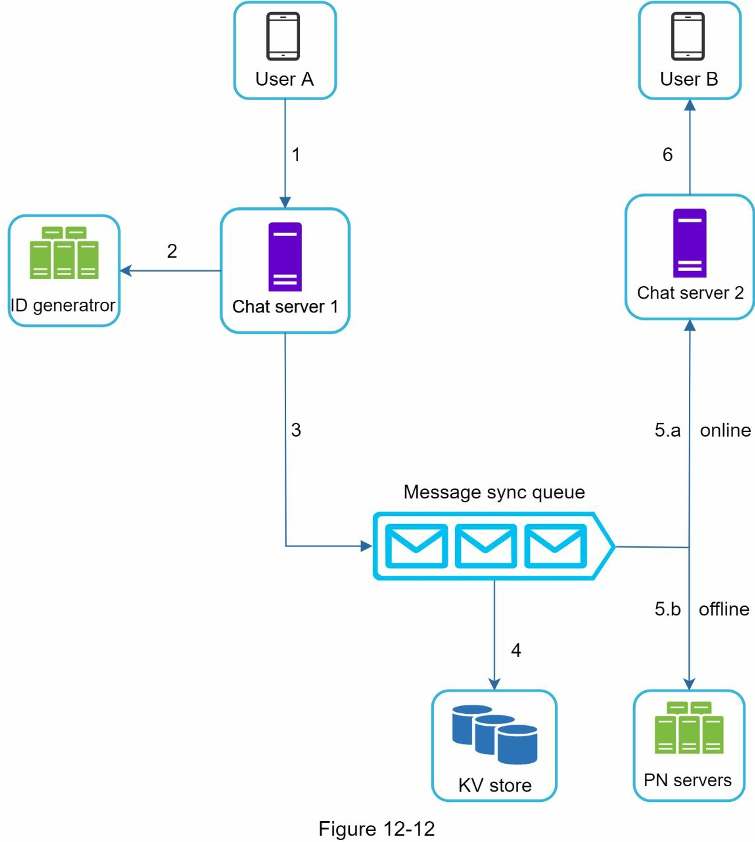
- User A sends a chat message to Chat server 1.
- Chat server 1 obtains a message ID from the ID generator.
- Chat server 1 sends the message to the message sync queue.
- The message is stored in a key-value store. 5.a. If User B is online, the message is forwarded to Chat server 2 where User B is connected. 5.b. If User B is offline, a push notification is sent from push notification (PN) servers.
- Chat server 2 forwards the message to User B. There is a persistent WebSocket connection between User B and Chat server 2.
Message synchronization across multiple devices Many users have multiple devices. We will explain how to sync messages across multiple devices. Figure 12-13 shows an example of message synchronization.
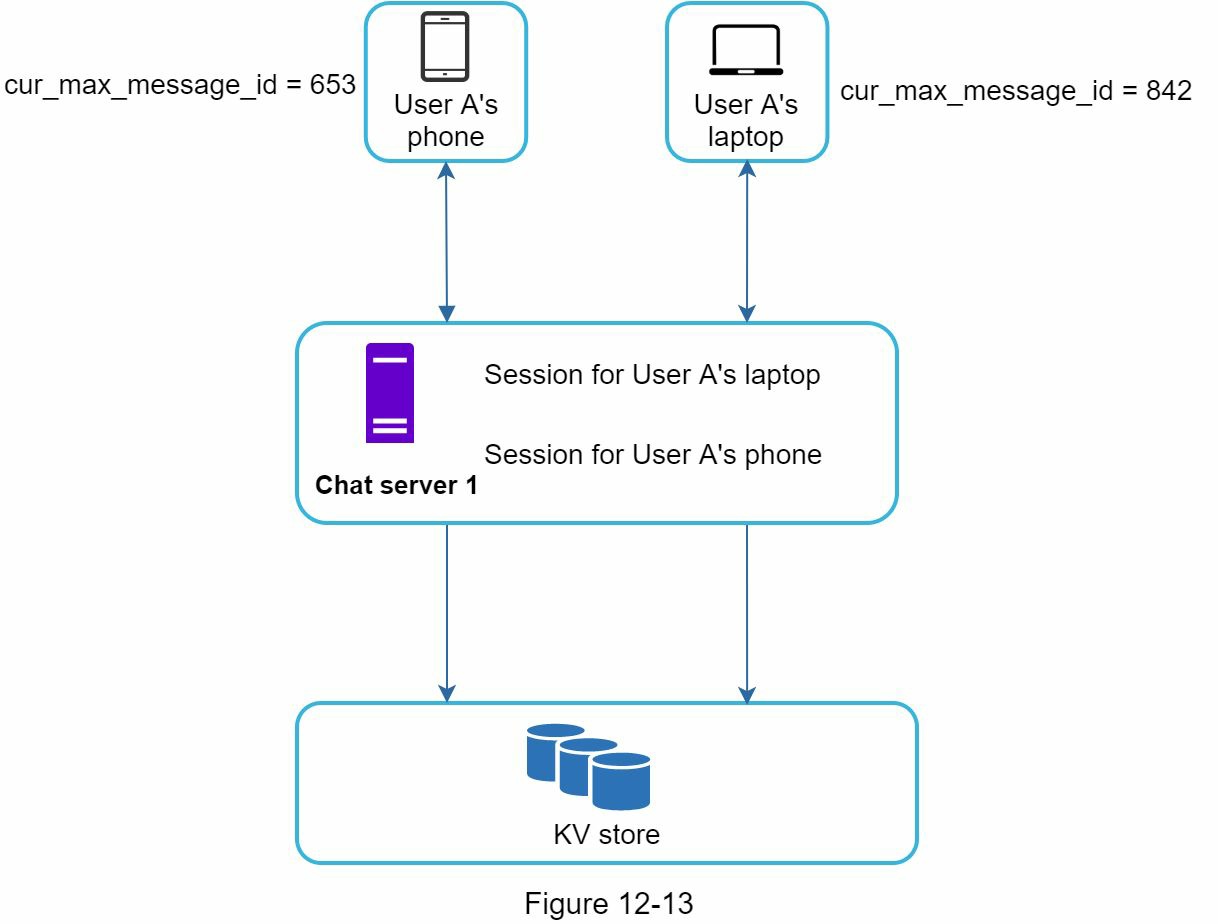
In Figure 12-13, user A has two devices: a phone and a laptop. When User A logs in to the chat app with her phone, it establishes a WebSocket connection with Chat server 1. Similarly, there is a connection between the laptop and Chat server 1.
Each device maintains a variable called cur_max_message_id, which keeps track of the latest message ID on the device. Messages that satisfy the following two conditions are considered as news messages:
- The recipient ID is equal to the currently logged-in user ID.
- Message ID in the key-value store is larger than cur_max_message_id .
With distinct cur_max_message_id on each device, message synchronization is easy as each device can get new messages from the KV store.
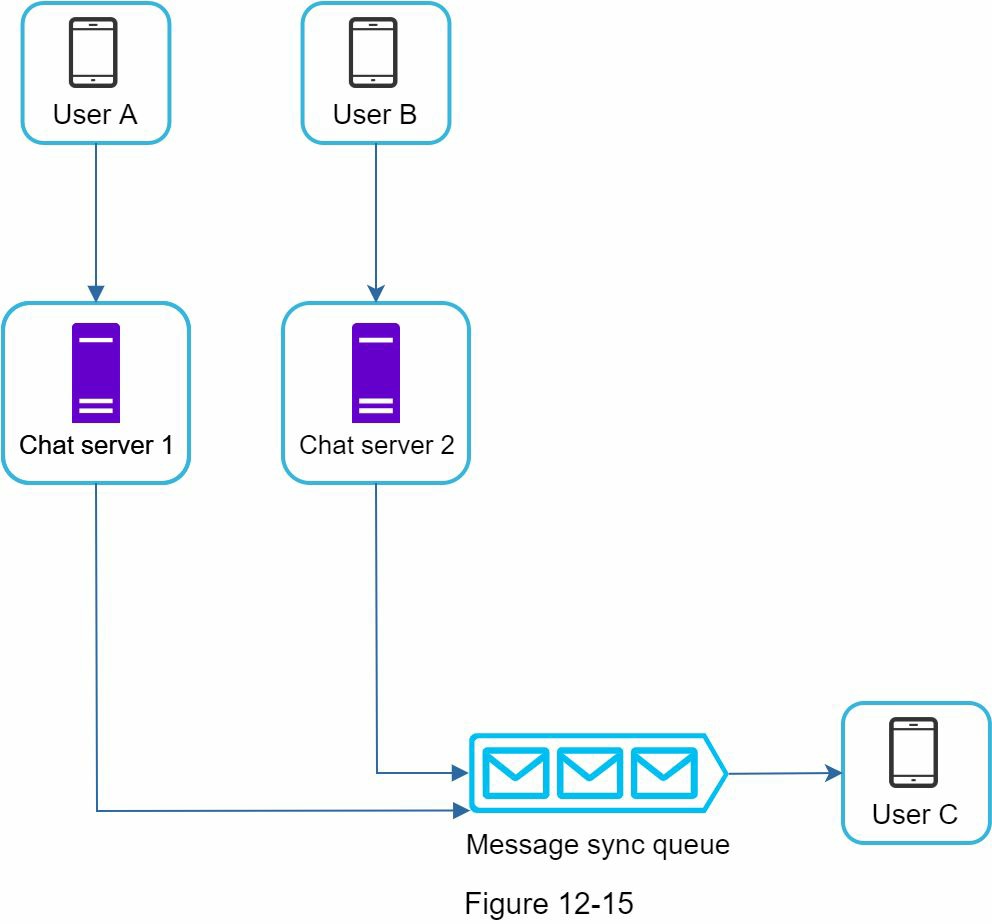
Small group chat flow In comparison to the one-on-one chat, the logic of group chat is more complicated. Figures 12-14 and 12-15 explain the flow.
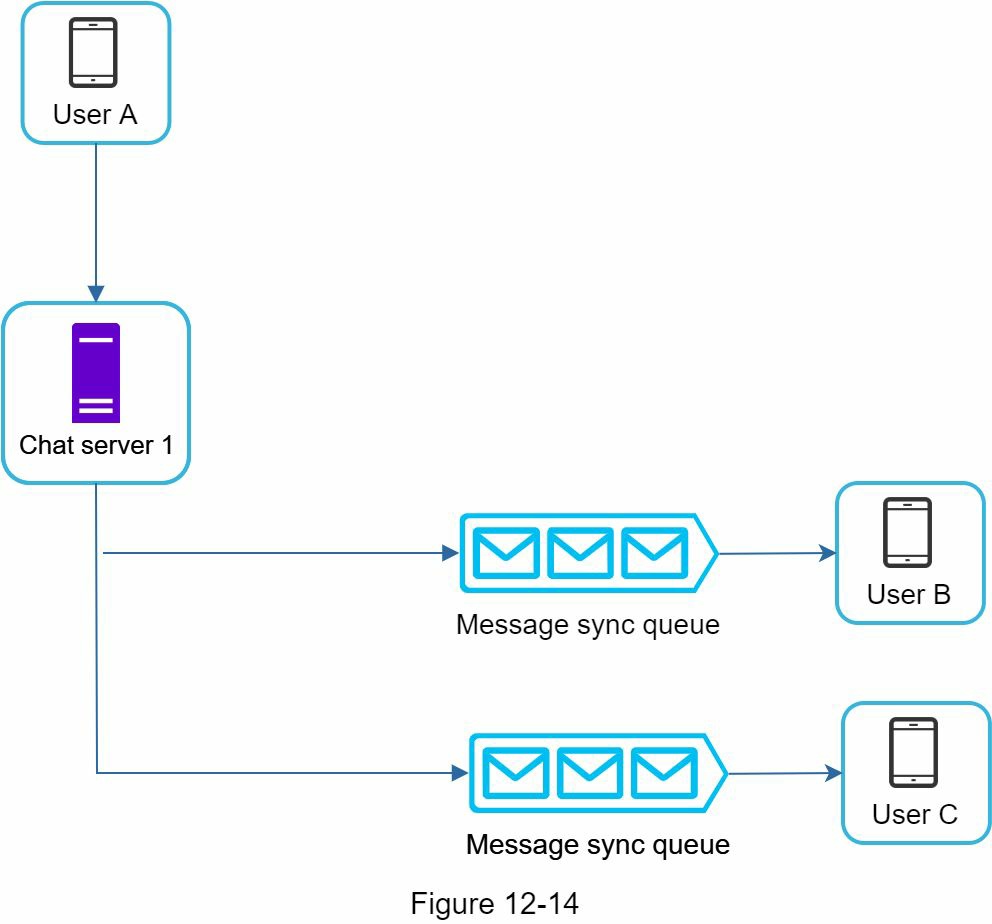
Figure 12-14 explains what happens when User A sends a message in a group chat. Assume there are 3 members in the group (User A, User B and user C). First, the message from User A is copied to each group member’s message sync queue: one for User B and the second for User C. You can think of the message sync queue as an inbox for a recipient. This design choice is good for small group chat because:
- it simplifies message sync flow as each client only needs to check its own inbox to get new messages.
- when the group number is small, storing a copy in each recipient’s inbox is not too expensive.
WeChat uses a similar approach, and it limits a group to 500 members [8]. However, for groups with a lot of users, storing a message copy for each member is not acceptable.
On the recipient side, a recipient can receive messages from multiple users. Each recipient has an inbox (message sync queue) which contains messages from different senders. Figure 12-15 illustrates the design.