Video coming soon. Start with the reading below.
Just now, we talked about using key-value stores as our storage layer. The most important data is message data. Let us take a close look.
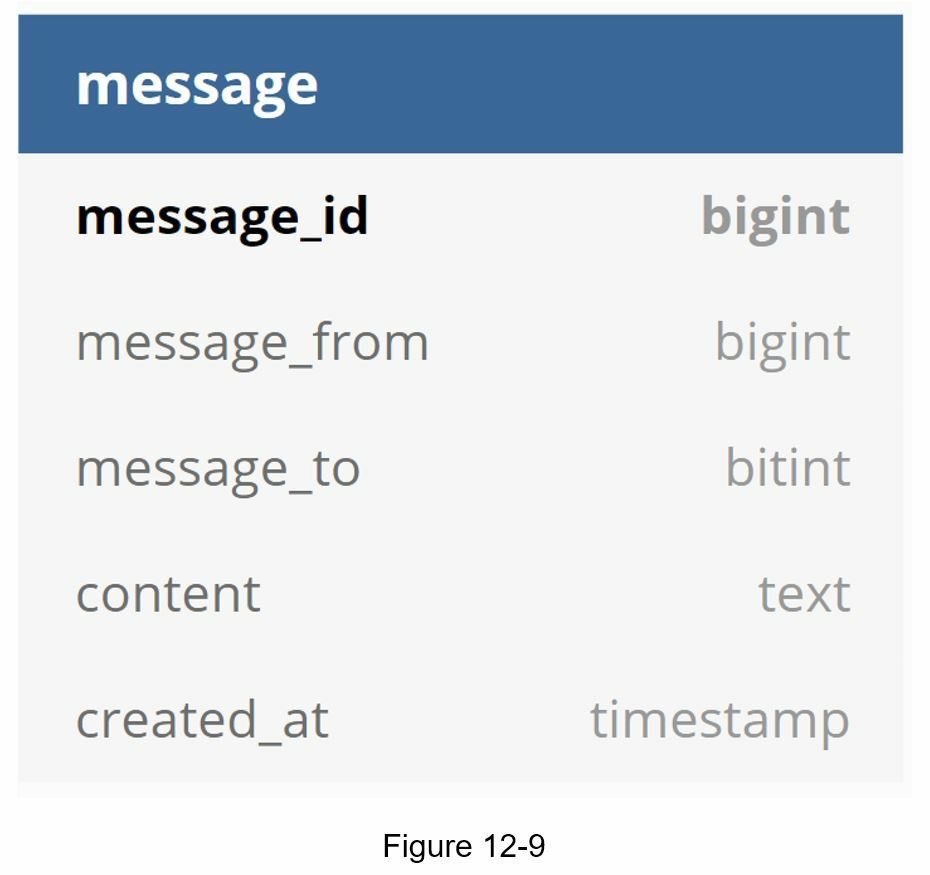
Message table for 1 on 1 chat Figure 12-9 shows the message table for 1 on 1 chat. The primary key is message_id, which helps to decide message sequence. We cannot rely on created_at to decide the message sequence because two messages can be created at the same time.
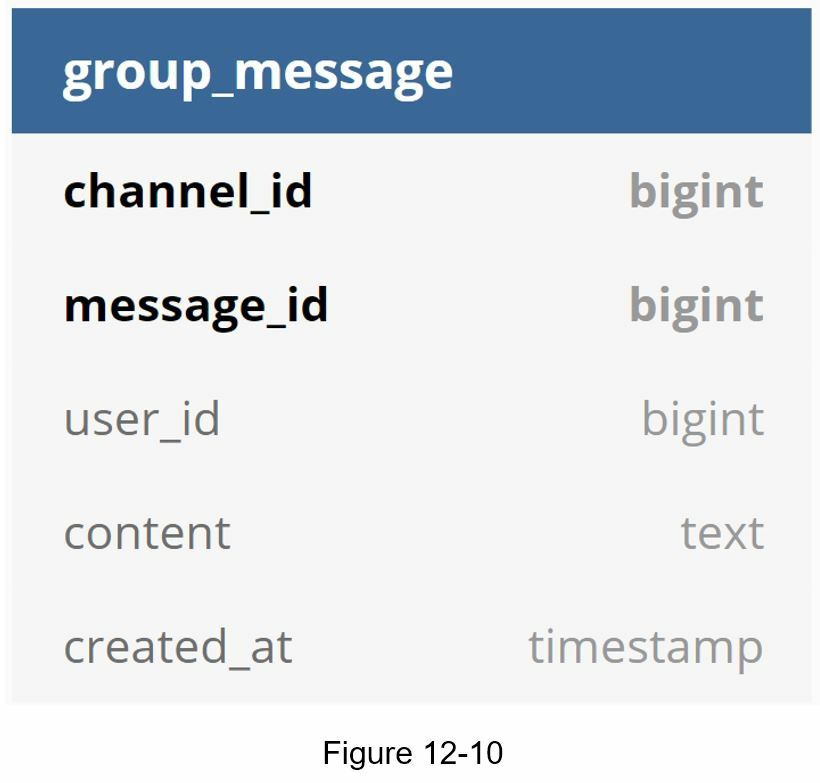
Message table for group chat Figure 12-10 shows the message table for group chat. The composite primary key is (channel_id, message_id). Channel and group represent the same meaning here. channel_id is the partition key because all queries in a group chat operate in a channel.
Message ID
How to generate message_id is an interesting topic worth exploring. Message_id carries the responsibility of ensuring the order of messages. To ascertain the order of messages, message_id must satisfy the following two requirements:
- IDs must be unique.
- IDs should be sortable by time, meaning new rows have higher IDs than old ones.
How can we achieve those two guarantees? The first idea that comes to mind is the “auto_increment” keyword in MySql. However, NoSQL databases usually do not provide such a feature.
The second approach is to use a global 64-bit sequence number generator like Snowflake [6]. This is discussed in “Chapter 7: Design a unique ID generator in a distributed system”.
The final approach is to use local sequence number generator. Local means IDs are only unique within a group. The reason why local IDs work is that maintaining message sequence within one-on-one channel or a group channel is sufficient. This approach is easier to implement in comparison to the global ID implementation.